OneLogin Pricing: Worth It or Add Federated Directory? March 2026
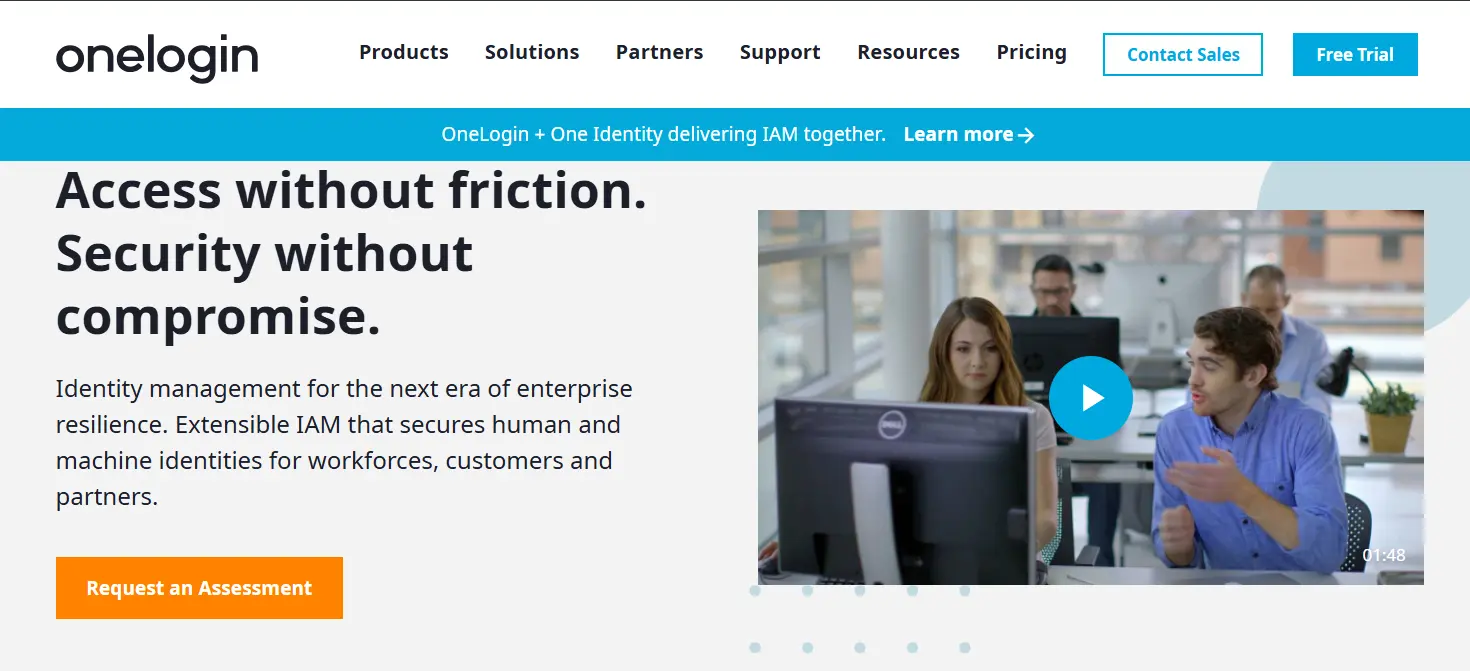
If you've ever navigated OneLogin's pricing structure, trying to decide between bundled tiers while calculating whether the Basic plan's $3 per user covers your needs or if you'll need to add Identity Lifecycle Management and SmartFactor Authentication at higher tiers, you know that enterprise identity management pricing can feel like assembling a system where each piece comes with its own price tag.
OneLogin has established itself as a trusted player in the Identity and Access Management (IAM) space, serving organizations with a comprehensive suite of Single Sign-On (SSO), Multi-Factor Authentication (MFA), and user provisioning tools. Following its acquisition by One Identity in 2021, the platform has become part of a broader Unified Identity Security Platform.
But as OneLogin has expanded to encompass SmartFactor Authentication, HR-driven identity, and advanced workflows, its pricing structure has evolved into a tiered ecosystem of bundled plans that can make calculating your true investment challenging.
I've spent time analyzing OneLogin's pricing tiers, bundled plans, and add-on costs. I believe it's the ideal choice if:
- You need comprehensive SSO and MFA for your internal workforce
- Your IT team requires automated user provisioning and de-provisioning
- You want adaptive authentication that adjusts to user behavior and risk
- You need to integrate with on-premises Active Directory and cloud directories
- You value a unified platform for managing access to both cloud and on-prem applications
However, OneLogin's capabilities may fall short if:
- You need to share contact directories with external partner organizations
- Your teams frequently collaborate with people at other companies
- You want employees to easily find contact information for trusted partners
- You're managing a holding structure, franchise, or post-merger integration
- You're building AI or agentic workflows that need to query contact data across organizations
In this case, you should consider adding Federated Directory: a cross-company contact directory service that integrates directly with OneLogin and other identity providers, enabling employees to search and access contact information from trusted partner organizations through a single, unified directory.
Because of that, I've included a detailed analysis of how Federated Directory complements OneLogin's pricing and capabilities in this review, as the best addition for organizations needing cross-company collaboration. With that said, if you're eager to jump into the Federated Directory pricing breakdown, go ahead and do so with this link.
Table of Contents
- OneLogin Pricing Summary
- OneLogin Pricing: In-Depth Overview
- Where OneLogin Falls Short
- Federated Directory as a Complementary Tool
- OneLogin Feature Value Breakdown (with Federated Directory)
- OneLogin Pricing FAQ
- Final Verdict: OneLogin + Federated Directory
OneLogin Pricing Summary
| OneLogin | Federated Directory | |
|---|---|---|
| Free Tier | No free plan Full feature access during trial | Free for up to 20 users Full feature access |
| Entry Plan | Basic: $3/user/month SSO, Advanced Directory, MFA, Desktop Basic Identity Lifecycle Management (up to 5 apps) | Paid tiers available for 21+ users Contact vendor for current pricing |
| Mid-Tier | Essentials: $6/user/month Identity Lifecycle Management (unlimited) Advanced Directory included | Volume-based pricing model Per-user cost decreases at higher volumes |
| High-Tier | Business: $10/user/month SmartFactor Authentication HR Directories, VLDAP, Smart Hooks, Custom REST Connectors | Contact Federated Directory for enterprise pricing |
| Enterprise | Enterprise: Call for pricing Delegated Administration, LDAP Directory Sync, Multiple Brands, API Access Management | |
| Best For | Organizations needing comprehensive IAM with SSO, MFA, and automated user provisioning | Companies collaborating with external partners who need unified cross-company contact directories or AI-accessible contact data |
OneLogin Pricing: In-Depth Overview
OneLogin operates on a bundled pricing model, with each tier unlocking a broader set of identity and access management capabilities.
This tiered approach provides options from basic SSO to advanced adaptive authentication and automated identity lifecycle management.
Let's examine each pricing option to understand the true cost of securing your organization's identities with OneLogin.
OneLogin Basic Plan: $3/user/month
| Feature | Details |
|---|---|
| Price | $3/user/month |
| Core Features | SSO, Advanced Directory, MFA, Desktop Basic |
| Identity Lifecycle | Included (up to 5 apps) |
| Authentication | SAML, OIDC, Windows Domain |
The Basic plan serves as OneLogin's entry-level bundle, combining the foundational features most organizations need: Single Sign-On, Advanced Directory, and Multi-Factor Authentication. The plan also includes Desktop Basic for machine-level authentication and Identity Lifecycle Management for up to 5 applications.
This plan includes unlimited SAML and OIDC authentication, password policy management, directory synchronization with Active Directory and LDAP, and multiple MFA options including OneLogin Protect, TOTP, hardware tokens, and biometrics.
| Basic Plan Pros | Basic Plan Cons |
|---|---|
| ✅ Core IAM features at competitive price | ❌ Identity Lifecycle Management limited to 5 apps |
| ✅ Desktop Basic included | ❌ No SmartFactor adaptive authentication |
| ✅ Multiple MFA options included | ❌ No HR system integration |
| ✅ Unlimited directory integrations | ❌ Unlimited provisioning requires Essentials or above |
The Bottom Line 👉 The Basic plan works for organizations needing secure authentication and basic directory management, but growing companies will want unlimited lifecycle automation and adaptive security at higher tiers.
OneLogin Essentials Plan: $6/user/month
| Feature | Details |
|---|---|
| Price | $6/user/month |
| All Basic Features | Included |
| Added Features | Identity Lifecycle Management (unlimited), Advanced Directory |
| Note | HR Directories available in Business tier |
The Essentials plan adds critical automation capabilities on top of the Basic tier. Identity Lifecycle Management enables automated user provisioning and de-provisioning across connected applications with no application limit, removing the 5-app cap of the Basic plan.
Organizations that need HR system integration with platforms like Workday, UKG, and BambooHR will find that HR Directories is available at the Business tier.
| Essentials Plan Pros | Essentials Plan Cons |
|---|---|
| ✅ Unlimited automated provisioning reduces IT overhead | ❌ No HR system integration (available in Business tier) |
| ✅ Flexible entitlement mappings | ❌ No adaptive authentication |
| ✅ Removes 5-app provisioning limit of Basic | ❌ No desktop authentication upgrades beyond Basic |
| ✅ Competitive mid-tier price | ❌ Additional features available as add-ons |
The Bottom Line 👉 Essentials suits organizations ready to automate unlimited user lifecycle management, but those needing HR system integration or advanced security should consider Business.
OneLogin Business Plan: $10/user/month
| Feature | Details |
|---|---|
| Price | $10/user/month |
| All Essentials Features | Included |
| Added Features | SmartFactor Authentication, HR Directories, VLDAP, Smart Hooks, Custom REST Connectors, RADIUS |
The Business plan represents OneLogin's highest publicly-priced standard bundle, adding its marquee SmartFactor Authentication feature powered by the Vigilance AI engine. This adaptive authentication system analyzes user behavior, location, and device to adjust security requirements.
The plan also introduces HR Directories for integration with HR systems like Workday, UKG, and BambooHR, enabling automated access changes based on employee lifecycle events. Additional capabilities at this tier include VLDAP, Smart Hooks for workflow automation, Custom REST Connectors, and RADIUS support for WiFi and VPN authentication.
| Business Plan Pros | Business Plan Cons |
|---|---|
| ✅ SmartFactor AI balances security with usability | ❌ Highest publicly-priced tier |
| ✅ HR Directories included for lifecycle automation | ❌ May exceed small business budgets |
| ✅ Smart Hooks and Custom REST Connectors | ❌ Enterprise Sandbox costs extra |
| ✅ Comprehensive security suite | ❌ OneLogin Workflows still additional |
The Bottom Line 👉 Business delivers most of OneLogin's security and HR integration capabilities, ideal for organizations prioritizing adaptive authentication and comprehensive access controls. Note that some features (such as Enterprise Sandbox, Workflows, and Delegated Administration) are available at higher tiers or as separate add-ons.
OneLogin Enterprise Plan: Call for Pricing
For organizations requiring the most advanced administrative controls, OneLogin offers an Enterprise tier with custom pricing.
This tier includes the features not available in lower bundles:
| Feature | Details |
|---|---|
| Price | Call for pricing |
| All Business Features | Included |
| Added Features | LDAP Directory Sync, Delegated Administration, Multiple Brands, API Access Management, Access (on-prem apps) |
Enterprise is the appropriate tier for large organizations that need granular delegated admin controls, on-premises application access management, multi-brand deployments, or LDAP Directory Sync. Contact OneLogin's sales team for pricing specific to your organization's size and requirements.
OneLogin Add-Ons
While OneLogin's core capabilities are delivered through its tiered bundles, two add-ons remain publicly available at per-user monthly rates:
| Feature | Price | Requirements |
|---|---|---|
| OneLogin Workflows | $2/user/month | Requires Identity Lifecycle Management |
| Enterprise Sandbox | Call for pricing |
OneLogin's current pricing is primarily structured around bundled tiers rather than individual feature purchases. Individual a la carte pricing for core features is no longer publicly listed. Organizations with very specific feature needs should evaluate which bundle tier best fits their requirements and contact OneLogin's sales team for guidance.
OneLogin Additional Products and Other Considerations
Beyond the core Workforce Identity plans, OneLogin pricing includes several considerations:
Additional Product Lines:
- B2B Identity: Custom pricing (contact sales)
- Customer Identity (CIAM): Custom pricing (contact sales)
- Education Identity: Custom pricing (contact sales)
Professional Services:
- Implementation services for faster deployment
- Configuration assistance and best practices guidance
- May incur additional cost beyond subscription
Regional Considerations:
- Listed prices are in U.S. dollars for U.S. customers
- International customers must contact local teams for region-specific pricing
Where OneLogin Falls Short
While OneLogin excels at providing comprehensive identity and access management for internal workforces, its focus on authentication and user provisioning creates notable gaps for organizations that need to collaborate extensively with external partners:
No Cross-Company Contact Directory
OneLogin manages who can access what, but it doesn't help employees find contacts at partner organizations. There's no way to create a unified address book spanning multiple companies, as it doesn't make people at other organizations discoverable. Organizations collaborating closely with clients, suppliers, or affiliates will find this capability absent from the platform.
Identity Solution ≠ Contact Directory
This distinction matters: identity solutions like OneLogin are designed to verify users and control access to applications. They're not built to serve as searchable contact directories across organizational boundaries.
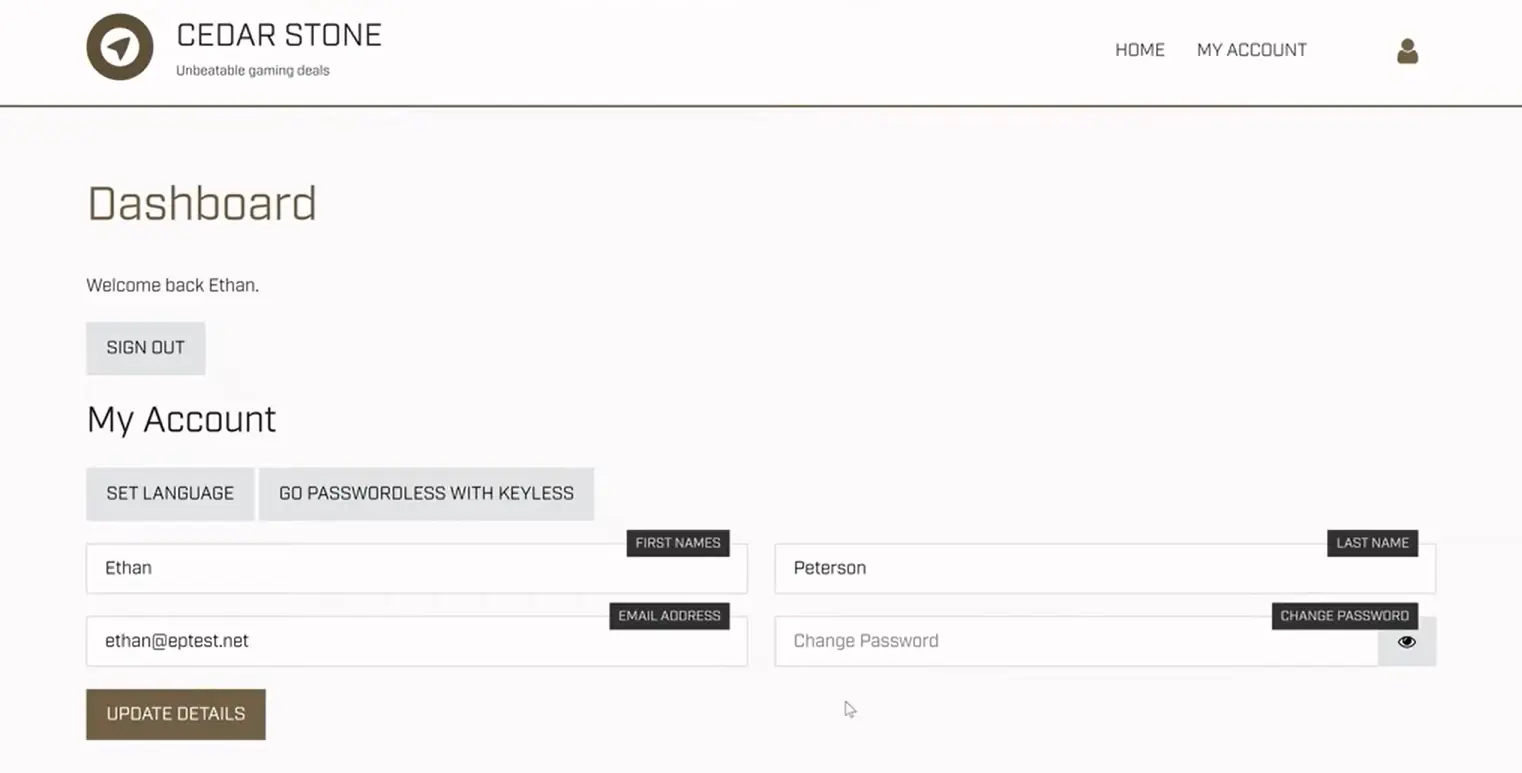
Creating accounts in an identity solution from another company just to access contact data introduces unnecessary security risks and complexity. You'd be granting identity-level access when all you need is a phone number or email address.
Limited External Collaboration Features
The platform focuses on controlling access to applications rather than facilitating discovery of people across organizations. Partner organizations each maintain separate directories with no way to search across them. Finding the right contact at an external company typically requires phone calls, emails, or separate tools like LinkedIn.
Complex Pricing for Straightforward Needs
The bundled-plus-a-la-carte model requires careful calculation to avoid overpaying. Feature dependencies can create unexpected cost increases. Organizations may pay for authentication features they don't need just to unlock directory capabilities.
Internal Focus May Miss Multi-Organization Workflows
OneLogin's Unified Directory consolidates internal directories but does not extend to partner companies. Groups of companies (holdings, franchises, consortiums) may find it challenging to share employee information. Post-merger integrations lack built-in tools for making both organizations' people discoverable to each other during the transition period.
These limitations have led organizations with significant external collaboration needs to explore complementary tools that address cross-company directory sharing.
Federated Directory as a Complementary Tool
Federated Directory addresses the cross-company contact problem that OneLogin was not designed to solve.
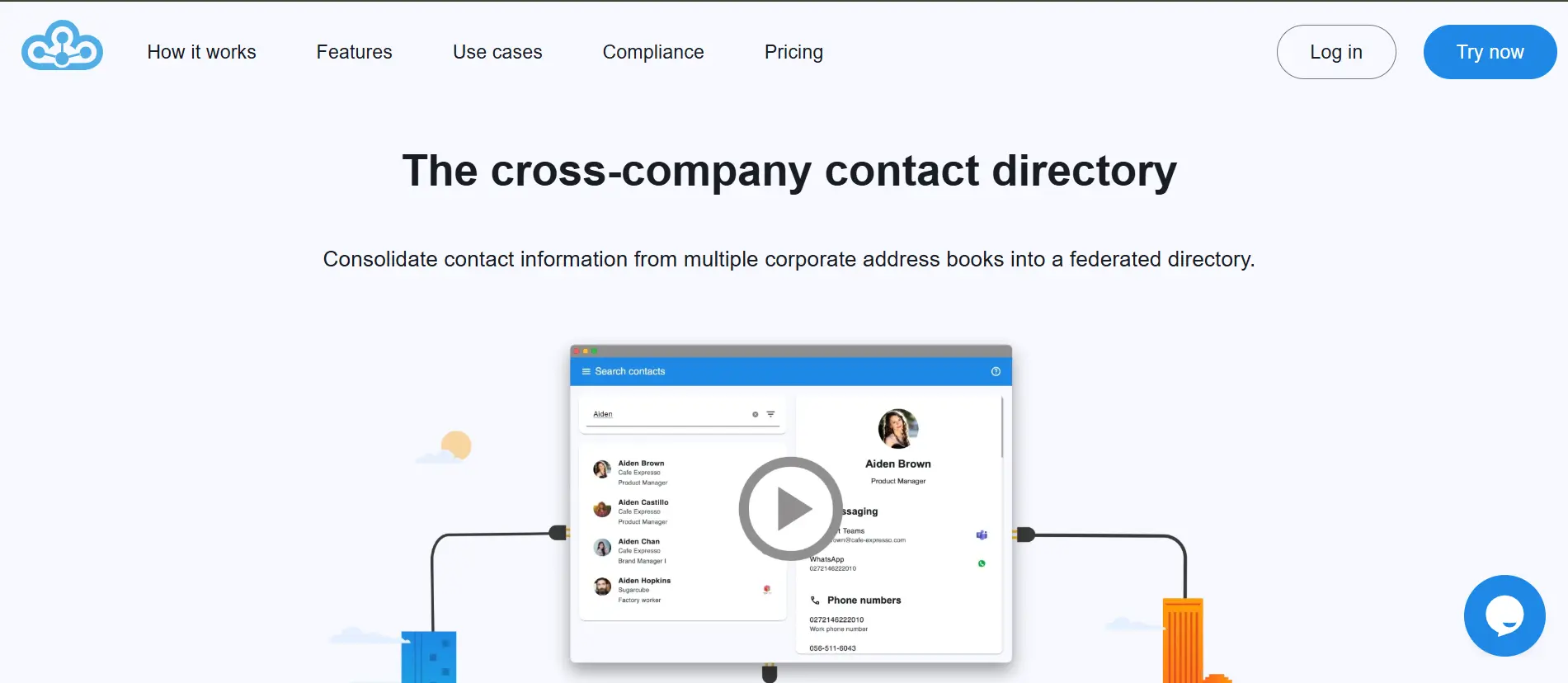
For organizations using OneLogin for authentication but finding that employees struggle to discover contacts at partner companies, clients, or affiliates, Federated Directory provides a purpose-built solution: a unified cross-company address book that integrates directly with OneLogin and other identity providers.
Built by Fed Blokes, a Netherlands-based company, Federated Directory enables trusted organizations to connect their corporate directories while each company maintains full control over which data they share.
The platform integrates with OneLogin, Microsoft 365, Google Workspace, and Okta, allowing users to authenticate with their existing credentials while gaining access to contact information from partner organizations.
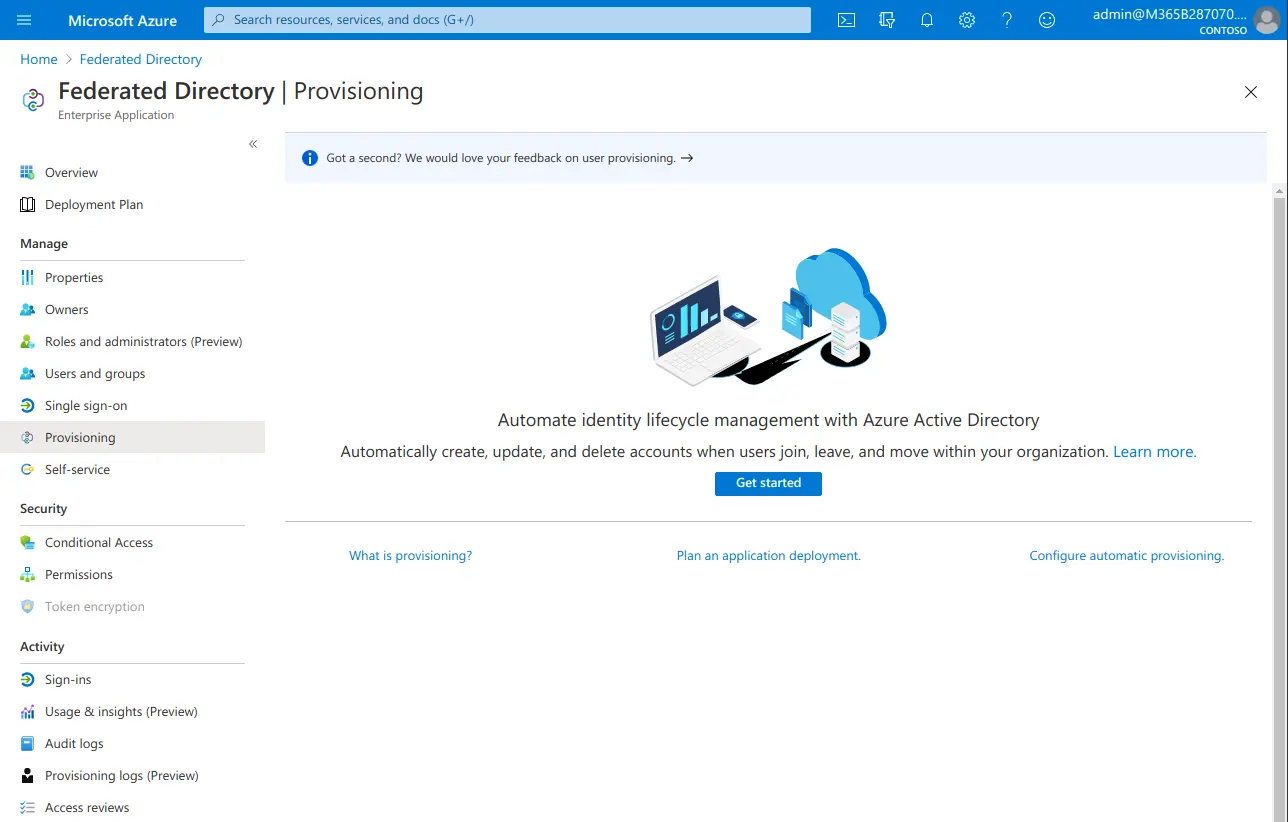
Federated Directory is designed for holding companies managing multiple business units, franchises connecting franchisors with franchisees, organizations undergoing mergers or acquisitions, and companies that frequently collaborate on cross-organizational projects.
Why Complementary — Not Replacement
Federated Directory is not an alternative to OneLogin or any other identity provider. It's designed to work alongside your existing identity infrastructure, adding a capability that IAM platforms simply don't provide. You keep using OneLogin for authentication, SSO, and user provisioning. You add Federated Directory when you need employees to find and contact people at other organizations.
Federated Directory Free Plan: Up to 20 Users
| Feature | Details |
|---|---|
| Price | $0/month |
| Users | Up to 20 |
| Features | Full feature access |
| Commitment | None required |
While OneLogin offers a 30-day free trial rather than a permanent free plan, Federated Directory provides a permanent free tier for up to 20 users for small teams or testing purposes.
The 20-user limit covers small workgroups that need to share contacts with partners, and the full feature access means organizations can properly evaluate the platform before scaling up.
| Free Plan Pros | Free Plan Cons |
|---|---|
| ✅ Truly free, not just a trial | ❌ Limited to 20 users |
| ✅ Full feature access | ❌ Best for testing or small teams |
| ✅ No commitment required | ❌ Must upgrade for larger deployments |
| ✅ Self-service deployment | ❌ Limited public reviews available |
The Bottom Line 👉 The free plan lets organizations test cross-company directory sharing with a small group before committing to paid tiers. Pricing is intentionally accessible, enabling developers and technical decision-makers to evaluate and adopt it without requiring large budget approvals.
Federated Directory Paid Tiers: Volume-Based Pricing
Federated Directory uses a volume-based pricing model where the per-user cost decreases as your user count increases.
This approach differs from OneLogin's feature-gated tiers; with Federated Directory, the free tier includes all features, and the company indicates that paid tiers follow a similar full-feature approach.
For current pricing on paid tiers, contact Federated Directory directly, as specific rates are not publicly documented.
| Paid Tiers Pros | Paid Tiers Cons |
|---|---|
| ✅ Simple, predictable pricing model | ❌ No monthly free tier above 20 users |
| ✅ Full features on the free tier | ❌ Limited market visibility |
| ✅ Volume discounts available | ❌ Narrower integration scope than IAM platforms |
| ✅ No feature dependencies | ❌ Contact vendor for paid tier pricing |
The Bottom Line 👉 The volume-based model rewards growth with lower per-user costs while maintaining full functionality, though organizations should contact Federated Directory for specific pricing.
What Federated Directory Actually Provides
Federated Directory's value comes from capabilities that complement (rather than replace) OneLogin:
Cross-Company Directory Federation
- Connect multiple organizations' address books into a unified, searchable directory
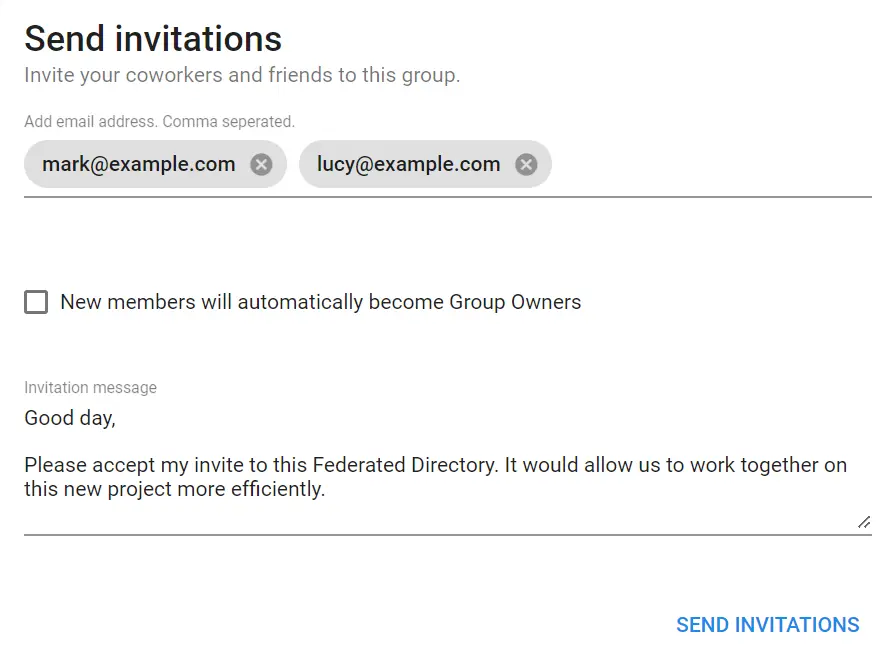
- Grant trusted partners read-only access to your directory through invitation-based sharing
- Maintain full control over which contact information is shared; a "clean room" approach where organizations only ingest what partners explicitly share
Data Normalization
- Acts as a translation layer between disparate identity sources
- Normalizes different attribute schemas. For example, when Company A uses the JobTitle field for internal grades while Company B uses it for public titles, Federated Directory maps these into a unified schema so applications receive consistent information
Seamless Integration into Existing Workflows
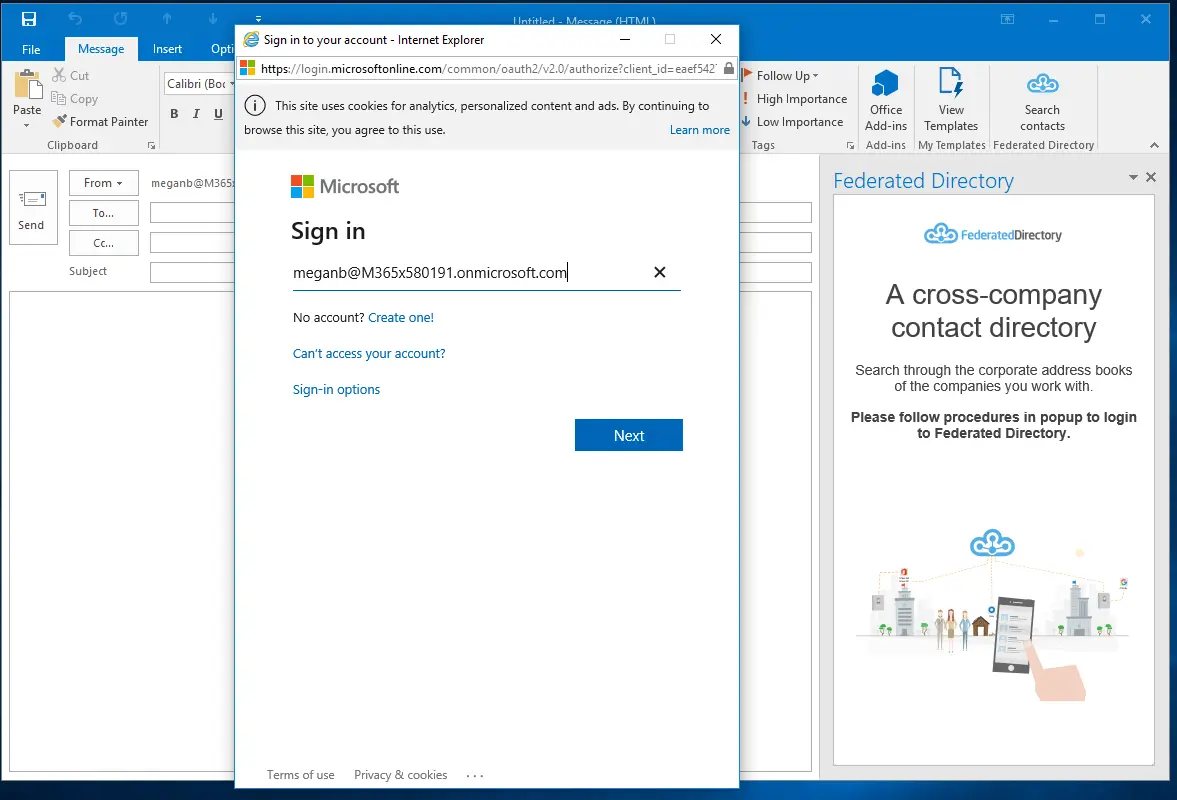
- Microsoft Outlook add-in adds a simple button to search partner directories
- Microsoft Teams integration embeds contact lookup into collaboration workflows
- Web application for browser-based access
- Mobile access on Android and iOS
- Users don't need to learn a new tool or change their habits; they see an extra button in the interfaces they already use
AI and Developer Integration
- SCIM-compliant API endpoint for custom integrations
- MCP (Model Context Protocol) endpoint for AI integration, allowing LLMs and agentic workflows to query contact data (e.g., "Who is the manager of this person?" or "Give me the phone number of X at our partner company")
- Single endpoint for querying "human capital" data across all connected organizations without requiring broad permissions to core identity providers
European Data Sovereignty
- Data stored in European data centers (Germany)
- Data encrypted in transit via TLS
- Privacy-first architecture designed with GDPR compliance in mind
- Particularly relevant for European companies and government organizations moving toward sovereign cloud solutions
AI Integration: A Unique Advantage
As organizations implement AI assistants and agentic workflows, they increasingly need contact data accessible to LLMs. However, connecting AI directly to identity management systems creates security risks.
The Problem with Direct Identity API Access
When you give an AI agent access to Microsoft Graph API to read user data, you potentially expose far more than contact information.
Microsoft Graph API has become a significant attack surface because it grants access to a range of Microsoft services including Entra ID and Office 365. A single consent event can grant read access to all resources the user can access, not just contact data, but permissions, role assignments, access review configurations, and identity metadata.
If an AI agent with Graph API access is compromised via a prompt attack, the attacker could gain access to sensitive identity data far beyond simple contact information.
Federated Directory as a Safe Data Layer
Federated Directory creates a security boundary. AI agents query only contact data through a limited, purpose-built API, following the principle of least privilege. The platform:
- Provides contact information to AI systems while keeping sensitive identity and permissions data protected
- Decouples AI integrations from the underlying identity provider; you can swap Microsoft for Google or Okta without rebuilding your AI workflows
- Offers a single, clean endpoint for AI agents to query contact data across all connected organizations
The "Single Endpoint vs. the Maze" Problem
For organizations that are a group of multiple companies with different identity tenants (for example, five companies with five different Entra ID instances), building AI integrations is complex.
To help an employee find an expert in a sister company, a developer would have to connect to multiple different APIs, handle multiple authentication methods, and merge multiple data formats. Federated Directory provides a single endpoint that eliminates this complexity.
OneLogin Feature Value Breakdown (with Federated Directory)
Authentication vs. Contact Discovery
OneLogin's Approach: OneLogin focuses on verifying user identities and controlling access to applications. When a user tries to access Salesforce, OneLogin validates their credentials, potentially requires MFA, and grants or denies access based on policies.
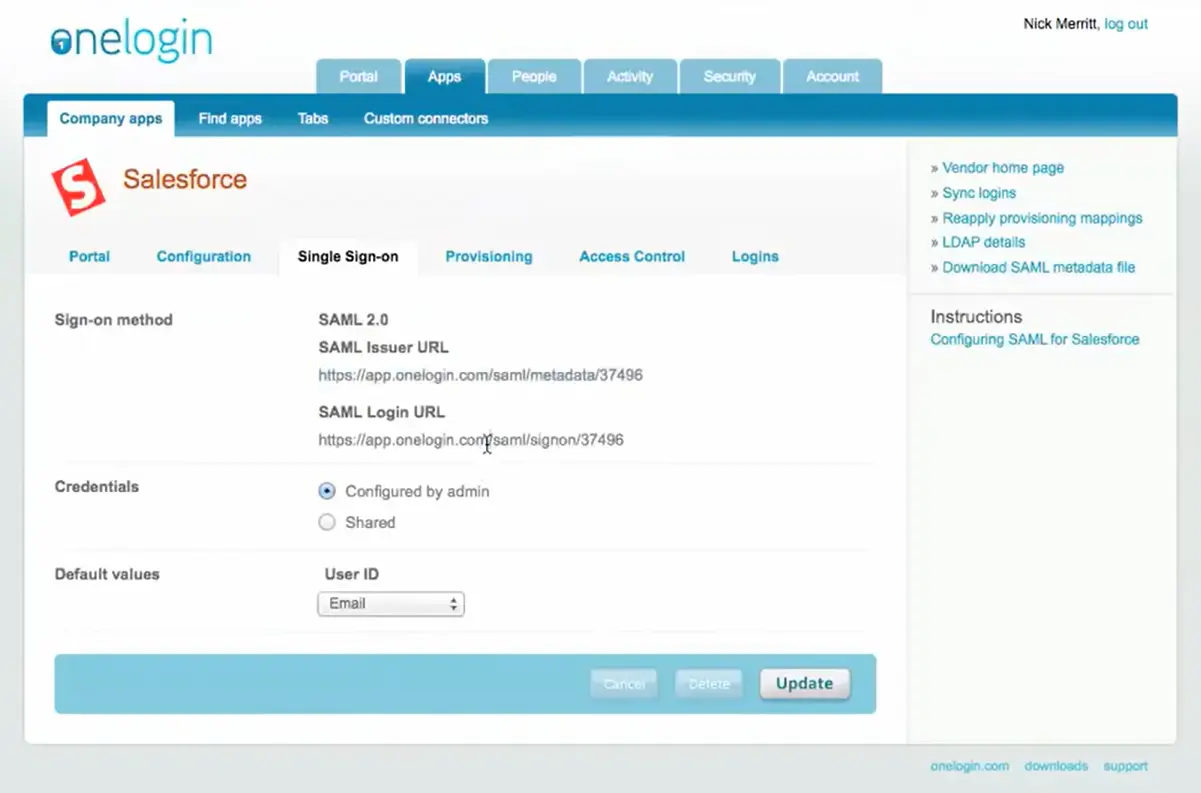
The platform answers "Is this person allowed to access this resource?" but doesn't address "Who at our partner company should I contact about this project?"
Federated Directory's Approach: Federated Directory focuses on making people discoverable across organizational boundaries. Once authenticated (through OneLogin), users can search a unified directory to find contacts at trusted partner organizations. The platform answers "Who works at Company X and what's their contact information?" while leaving authentication to identity providers.
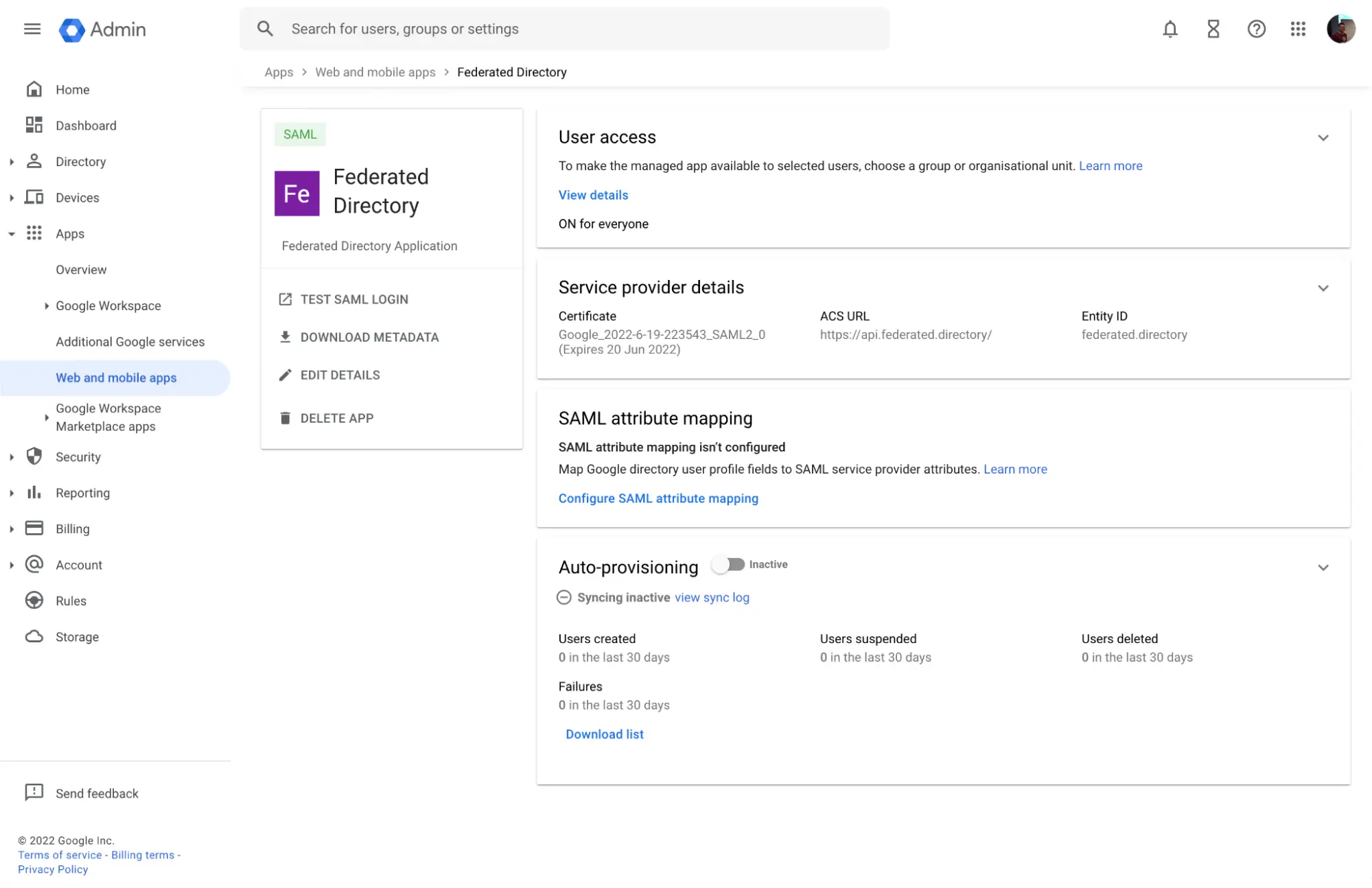
🪙 Value Verdict: These platforms solve different problems. OneLogin secures access; Federated Directory enables discovery. Organizations with external collaboration needs benefit from both working together.
Pricing Model Philosophy
OneLogin's Approach: OneLogin uses a feature-gated pricing model where capabilities unlock at different tiers. The bundled plans offer savings, though organizations may pay for feature sets even if they only need specific capabilities. The a la carte option provides flexibility but creates dependency chains that can increase costs unexpectedly.
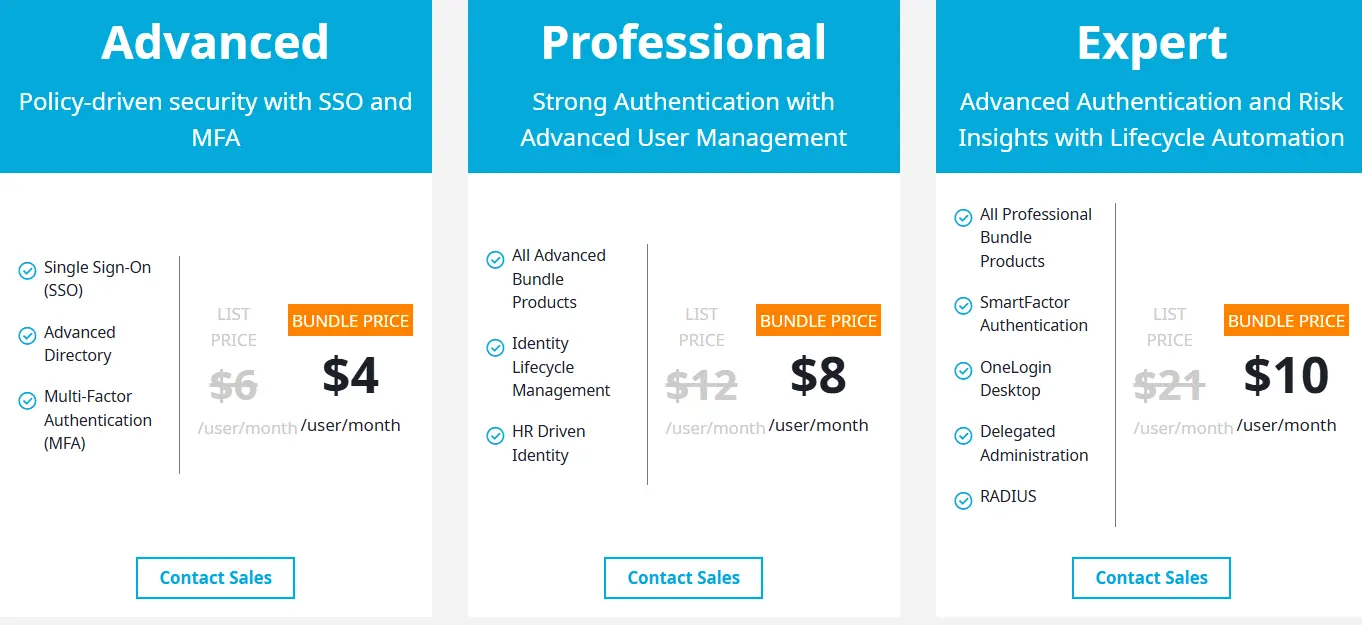
Federated Directory's Approach: Federated Directory uses a volume-based model where the free tier includes all features. For paid tiers, the primary variable is user count. Pricing is designed to be accessible enough that developers and technical decision-makers can adopt it without requiring large budget approvals or extensive justification.
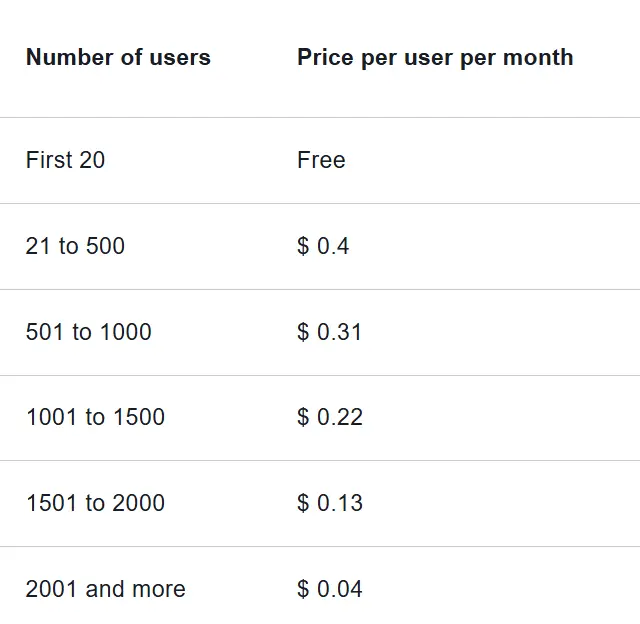
🪙 Value Verdict: OneLogin's model suits organizations that need granular feature selection, while Federated Directory's model provides predictability for organizations seeking cross-company directory access.
Internal vs. External Focus
OneLogin's Approach: OneLogin's Unified Directory consolidates user identities from internal sources like Active Directory, LDAP, and HR systems. While it can synchronize multiple directories into a single view, this consolidation primarily supports internal users accessing applications.
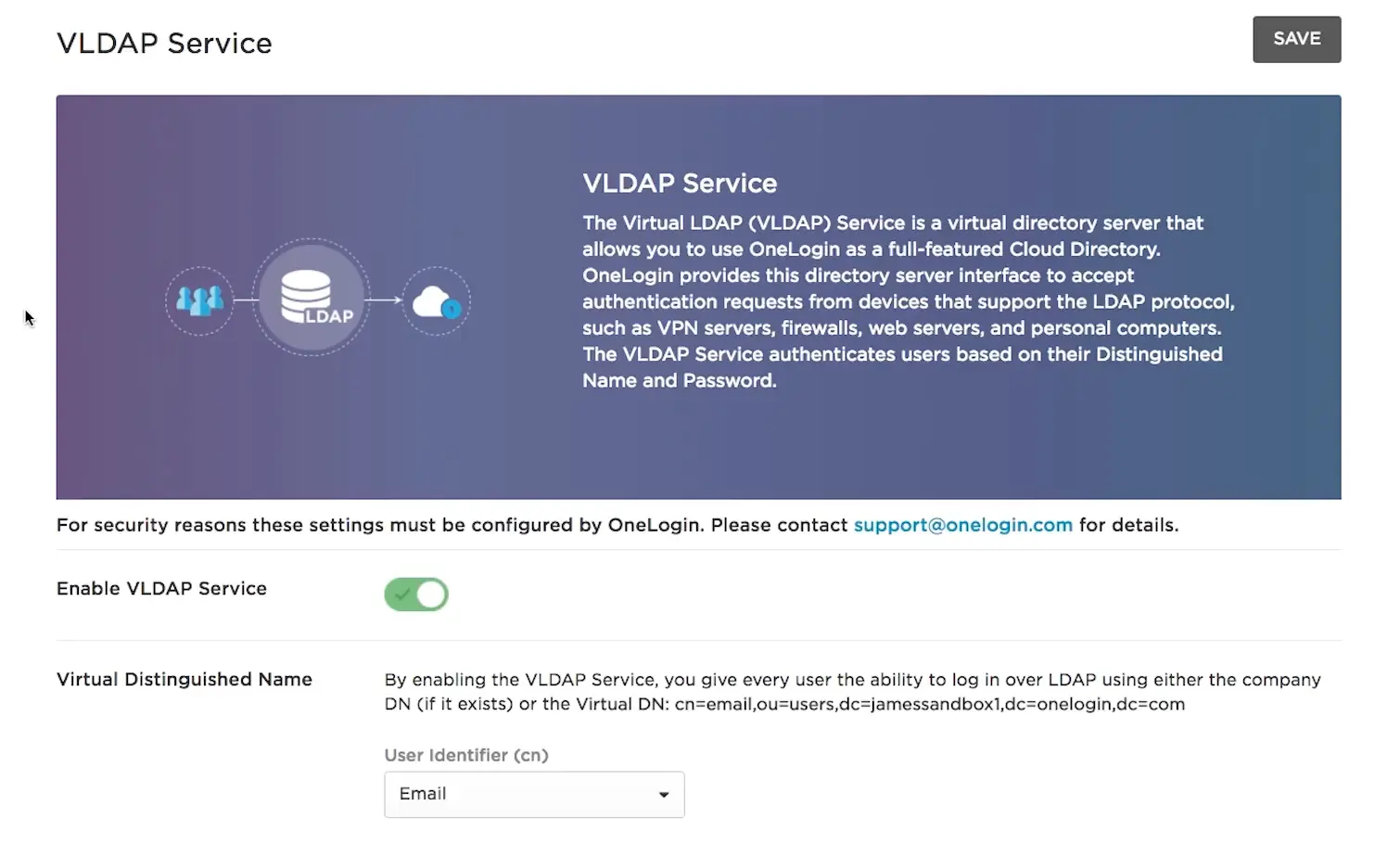
B2B and CIAM products exist but are priced separately and designed for customer/partner identity verification rather than contact discovery.
Federated Directory's Approach: Federated Directory was built specifically for the external collaboration scenario. It assumes organizations already have internal directory management (through OneLogin or similar) and addresses the gap of connecting those directories across company boundaries.
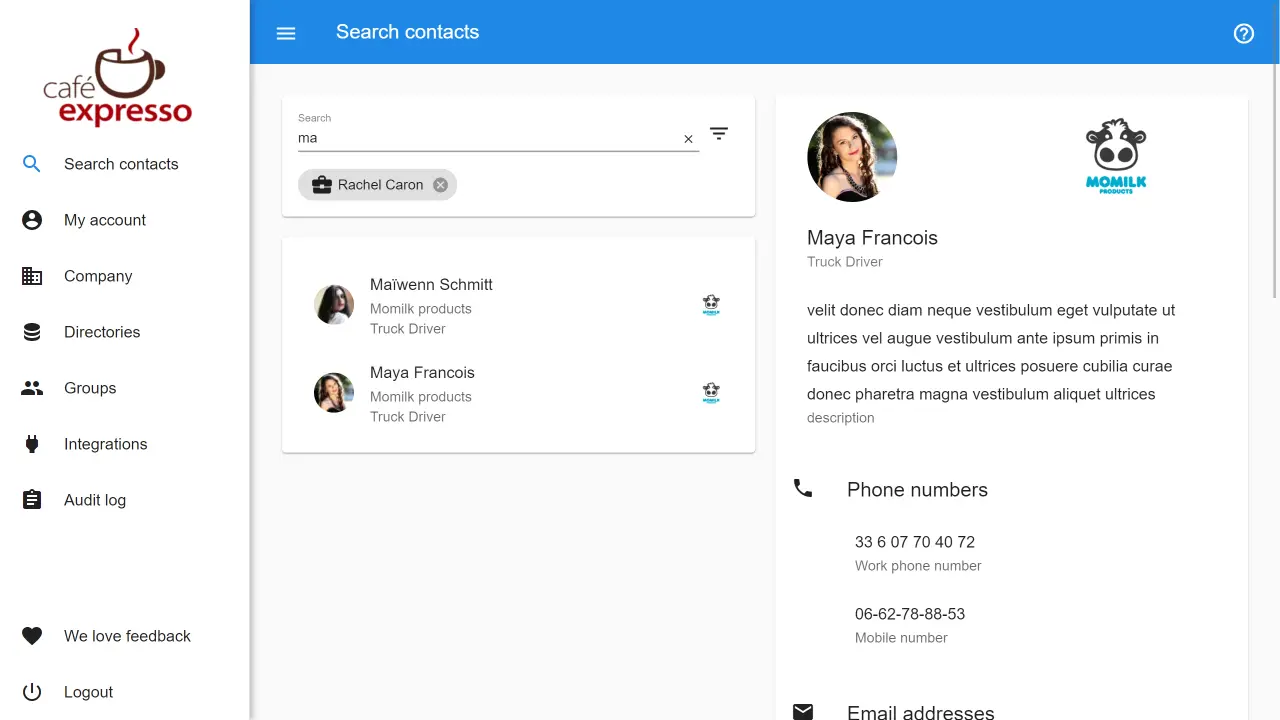
The invitation-based model creates trust relationships between organizations rather than just between users and applications.
🪙 Value Verdict: OneLogin serves organizations focused on managing internal identity and access, while Federated Directory serves those needing to bridge identity silos between collaborating organizations.
AI Integration Security
OneLogin's Approach: To enable AI assistants to access user data, organizations typically grant access through Microsoft Graph API or similar identity system APIs.
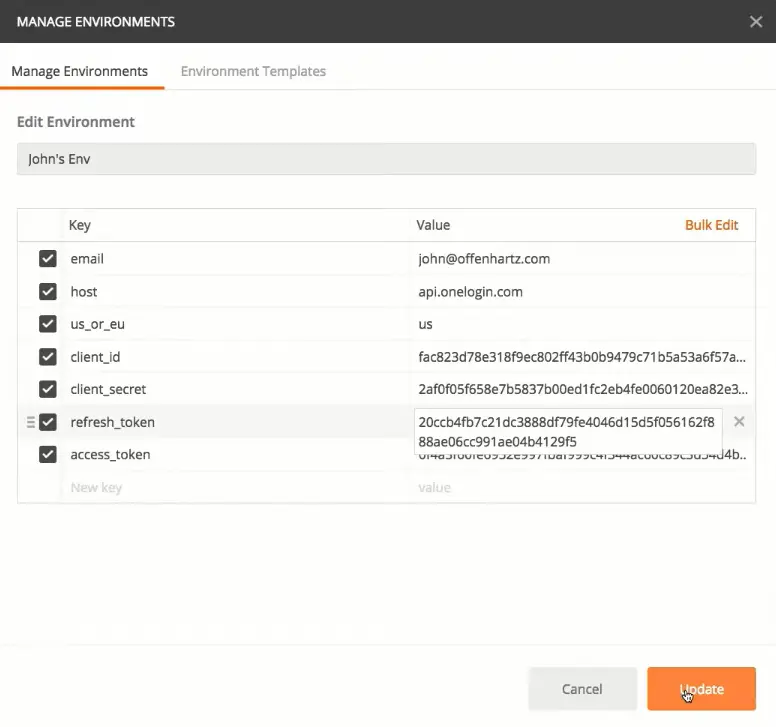
While effective, this approach can expose metadata, permissions, and role assignments — data that goes far beyond simple contact information. If an AI integration is compromised, the security implications extend into the core identity infrastructure.
Federated Directory's Approach: Federated Directory's MCP endpoint provides AI systems with access to contact data only. There's no path to permissions, access reviews, or identity governance data. This separation of concerns means organizations can enable AI-powered contact lookup without expanding their attack surface into mission-critical identity systems.
🪙 Value Verdict: For AI and agentic workflows that need contact data, Federated Directory offers a security advantage by providing a purpose-built, limited-scope API rather than broad identity system access.
Integration Ecosystem
OneLogin's Approach: OneLogin offers over 6,000 pre-integrated applications in its catalog, making it straightforward to enable SSO and provisioning for common business software. The platform provides extensive application integration for access management purposes.
Federated Directory's Approach: Federated Directory focuses on integrations with major identity and directory providers: OneLogin, Microsoft 365, Google Workspace, Okta. The SCIM-compliant API extends compatibility to other systems.
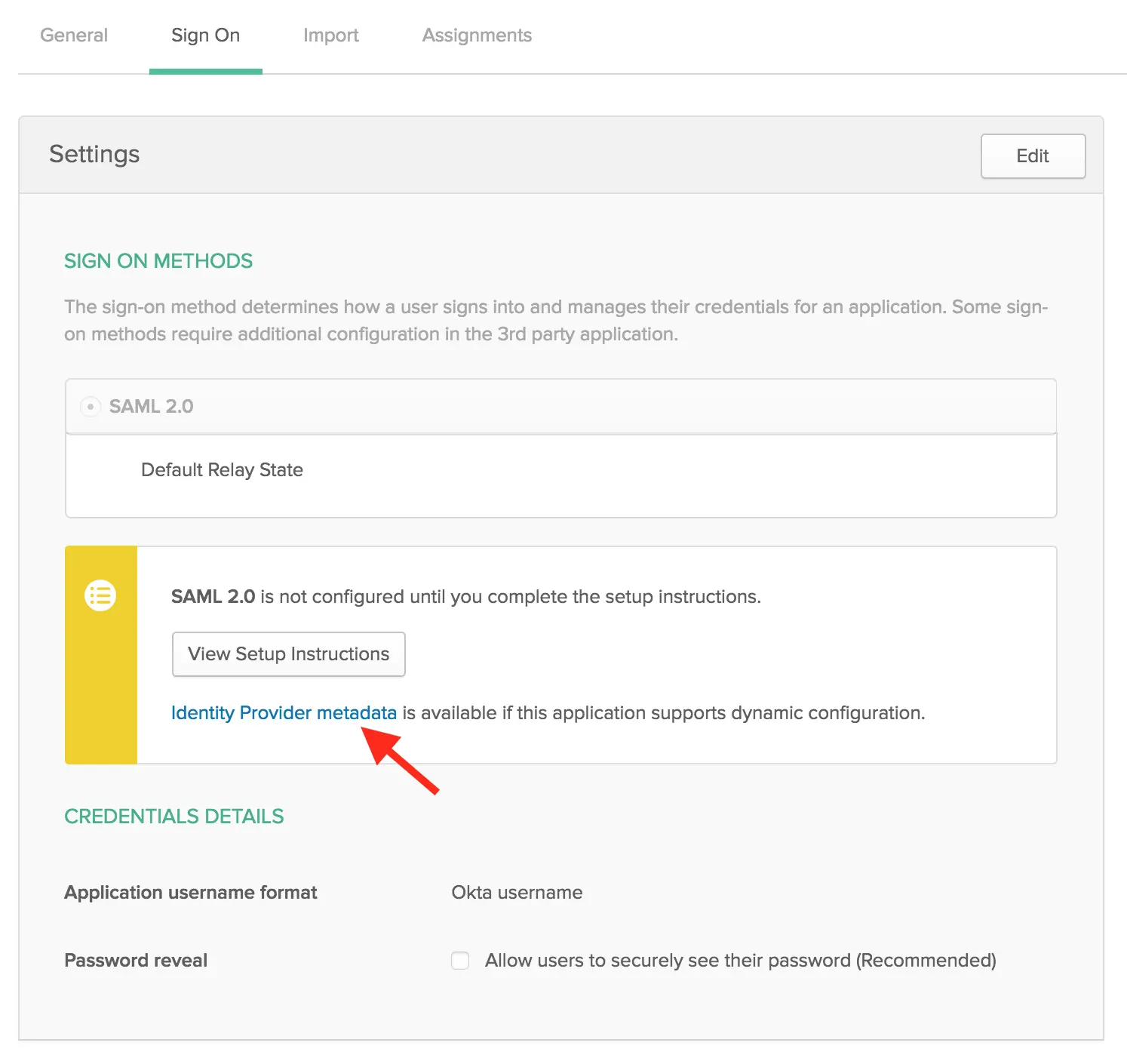
Rather than integrating with applications, it integrates with the directories that feed those applications, and this decoupling means changes to your identity provider don't break your contact directory integrations.
🪙 Value Verdict: The platforms target different integration needs. OneLogin connects users to applications; Federated Directory connects directories to each other and provides a stable layer for downstream integrations.
OneLogin Pricing FAQ
Does OneLogin offer a free plan?
No, OneLogin does not offer a permanent free plan. The company provides a 30-day free trial with full feature access to evaluate the platform. After the trial period, you must select a paid plan to continue using the service. This contrasts with Federated Directory's permanent free tier for up to 20 users.
What's the cheapest way to get started with OneLogin?
The most affordable entry point is the Basic plan at $3/user/month, which includes SSO, Advanced Directory, MFA, Desktop Basic, and Identity Lifecycle Management for up to 5 applications. This makes it a well-rounded starting point for organizations needing secure authentication and basic directory management without committing to higher-tier costs.
Does OneLogin offer individual feature pricing?
OneLogin's current pricing is primarily structured around bundled tiers rather than individual feature purchases. Individual a la carte pricing for core features is no longer publicly listed. The only add-on with a public per-user price is OneLogin Workflows at $2/user/month, which requires Identity Lifecycle Management. Enterprise Sandbox pricing is available on request. Organizations with very specific feature needs should evaluate which bundle tier best fits their requirements and contact OneLogin's sales team for guidance.
Does OneLogin pricing include all users or just administrators?
OneLogin charges per user for everyone who will authenticate through the platform, not just administrators. This includes employees, contractors, and other users who need to log in to connected applications. Pricing scales with your user count, making it important to accurately forecast your user population when budgeting.
Why would I add Federated Directory if I already have OneLogin?
OneLogin manages who can access what; Federated Directory helps employees find people at other companies. If your organization frequently collaborates with external partners, clients, or affiliates, employees may struggle to find contact information for people at those organizations, sometimes spending an hour or more calling, chatting, and searching LinkedIn just to find the right person.
Federated Directory creates a searchable cross-company address book while using OneLogin for authentication.
How do OneLogin and Federated Directory work together?
Federated Directory integrates with OneLogin as an identity provider. Users authenticate to Federated Directory using their OneLogin credentials through Single Sign-On. Once authenticated, they can search the unified directory containing contacts from their own organization and trusted partner companies. OneLogin handles the identity verification; Federated Directory provides the contact discovery.
Can I use Federated Directory with AI assistants or agents?
Yes. Federated Directory offers an MCP (Model Context Protocol) endpoint specifically designed for AI integration. This allows LLMs and agentic workflows to query contact data across your organization and partner companies without requiring broad access to your identity management system.
The API supports queries like "Who is the manager of this person?" or "Find the contact details for Sarah Johnson at our partner company."
Is Federated Directory compliant with European data regulations?
Federated Directory stores data in European data centers (Germany) and encrypts data in transit via TLS. The platform was built with European data sovereignty requirements in mind, making it relevant for organizations subject to GDPR or those moving toward European sovereign cloud solutions.
Final Verdict: OneLogin + Federated Directory
The choice isn't necessarily between these platforms; for many organizations, they solve complementary problems:
👍 OneLogin is a comprehensive identity and access management platform designed for organizations that need secure authentication, Single Sign-On, and automated user provisioning. With bundled pricing from $3/user/month (Basic) to $10/user/month (Business), plus an Enterprise tier available on request, it enables IT teams to centralize access control, enforce security policies, and automate user lifecycle management across cloud and on-premises applications.
This feature-gated pricing model works best for organizations focused on internal workforce identity, IT teams needing automated provisioning and de-provisioning, and enterprises requiring adaptive authentication through SmartFactor Authentication powered by Vigilance AI.
Get started with OneLogin here.
👉 Federated Directory is a cross-company contact directory service built for organizations that collaborate extensively with external partners. With a permanent free tier for up to 20 users and volume-based paid pricing (contact vendor for rates), it offers a lightweight approach to cross-company directory sharing that complements rather than replaces identity solutions.
The platform integrates into existing tools like Outlook and Teams as a simple button; users don't need to learn anything new. For organizations building AI workflows, the MCP endpoint provides a secure, single access point for contact data across connected organizations.
This complementary approach makes it well-suited for holding companies or conglomerates with multiple business units, organizations undergoing mergers or acquisitions needing immediate collaboration during IT integration, European organizations requiring data sovereignty, and companies building AI-powered workflows that need access to contact data without exposing identity infrastructure.
Ready to add cross-company contact sharing to your OneLogin setup?
Get started with Federated Directory — free for up to 20 usersThe difference is focus. While OneLogin asks "How can we secure access to applications?", Federated Directory asks "How can we help employees find people across company boundaries?"
For organizations with significant external collaboration needs or AI integration requirements, the combination delivers both secure identity management and cross-company contact discovery without the security risks of exposing identity systems directly.
